
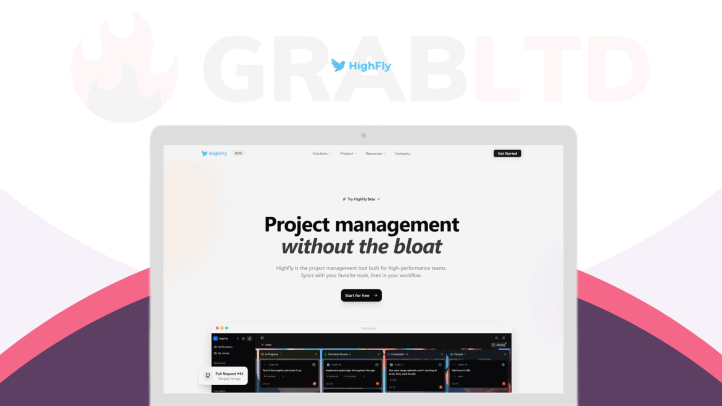
Meet HighFly, a project management software. The GitHub-first project management tool built for fast teams. It automatically keeps the team in sync by updating tasks when pull requests are opened, reviewed, or merged.
HighFly uses VS Code, Cursor, or Windsurf extensions to view task details and convert TODO’s comments into tracked tasks without leaving your editor.
You can create projects for clients, import from Trello or GitHub Issues, and keep work clean and private for each team. As a result, there are fewer manual updates, clearer priorities, and faster shipping.
HighFly helps small and mid-sized software development teams, software agencies, and open-source maintainers spend more time building and less time managing lists. Ship with confidence, stay aligned, and let your tools follow your code and get work done faster now.
HighFly is a project tracking and management software for high-performing teams. It connects to your GitHub repo and automatically updates task status when pull requests open, get reviewed, or merge.
Key Features
- GitHub automations: Tasks update automatically when pull requests open, get reviewed, or are merged.
- GitHub-first sync: Connect a repo and link real code to your tasks so the board stays accurate.
- IDE integrations: View and manage tasks inside VS Code, Cursor, or Windsurf without leaving your editor.
- TODO → Task: Turn a TODO comment into a tracked task (with the code attached) in one click.
- Projects and clients: Make separate projects for clients or teams to keep work tidy and private.
- Easy migration: Import from GitHub Issues or Trello to move your work over quickly.
Use Cases
- Startups: Tie tasks to PRs so status updates happen automatically as you ship.
- Software Agencies: Run one project per client and sync each client repo to track delivery automatically.
- Product Teams: Use a clean task system with a Notion-like editor for specs, updates, and decisions.
- Engineering Managers: Filter by assignee, status, priority, and labels to find what matters fast.
- Solo Developers: Work from VS Code, Cursor, or Windsurf to see tasks without leaving your code editor.


