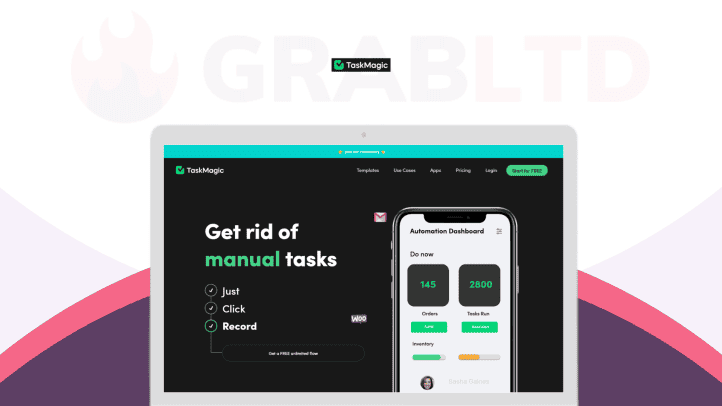
TaskMagic 1

TaskMagic

Get rid of manual tasks

Lifetime Deals
No review yet. be the first

TaskMagic is built to take that browser busywork off your plate.

$89
$590
View all plans Visit site »

TaskMagic is like an automated virtual assistant. It turns your walkthrough videos into automations. If a human can do it on the web, it can be automated. No more repetitive tasks you don’t want to do. Simply record yourself doing the task once, then never do it again.

TLDR;
  • Record a browser workflow once. TaskMagic replays the clicks, typing, and copy paste for you, no code needed.
  • It fills the gaps Zapier and Make cannot, because it automates directly in the browser, not just through APIs.
  • Use ready made and AI generated automations for outreach, ops, and web admin across almost any site.

TaskMagic is built to take that browser busywork off your plate. Record a workflow once, and TaskMagic turns it into an automation that runs on virtually any website, without code, without APIs, and without wrestling with complex setup.

With TaskMagic, you can:

  • Automate real browser actions like clicking, typing, copying, pasting, and navigating
  • Build custom automations by simply recording yourself doing the task once
  • Use ready made automations for popular tools and social platforms in one click
  • Pull data from web pages to power outreach on LinkedIn, Instagram, and more
  • Let AI suggest automation opportunities, so you save time without hunting for them

If you can make a Loom video, you can make an automation. Start building your first TaskMagic workflow today.

Why TaskMagic?

Most automation tools are great until you hit the moment where your workflow lives inside a website, not an API.

Zapier and Make are powerful, but they depend on whatever triggers and actions apps decide to expose. That leaves gaps: the tiny manual steps that still eat your day. TaskMagic fills that gap by automating what a human would do in the browser.

Why people choose TaskMagic:

  • It automates the work, not just the data. Clicking, typing, copying, pasting, and navigating are fair game.
  • No code, no scripts, no technical hurdles. Press record, do the task once, and you have a workflow.
  • Works with or without Zapier. Use it alongside your existing stack, or let it run on its own.
  • It feels like cloning yourself. The repetitive parts get handled automatically, so your attention stays on decisions, not drudgery.
  • Easy to fix when websites change. Instead of chasing support threads and debugging for hours, you can simply re record.

How It Works

  1. Record your workflow
    Click “Add Automation,” then do the task like you normally would. TaskMagic captures each browser action step by step.
  2. Review and refine
    See every action as it’s recorded, stop anytime, and adjust the flow if needed.
  3. Replay in the browser
    Run the automation and watch it complete the same steps automatically, across the same sites and tools.
  4. Schedule or trigger runs
    Set it to run when you want, so the work happens in the background while you focus elsewhere.
  5. Share with your team
    Organize automations in workspaces, collaborate with teammates, and reuse workflows across projects.

Key features that turn “ugh, not again” into “done already”

  • Browser native automation
    Automates what happens on web pages, including clicking, typing, copying, pasting, and navigating.
  • Record and replay workflow builder
    Build automations by recording your real process once, whether it takes minutes or hours.
  • AI generated automations
    Describe what you want, and get automations created for you and delivered directly to your inbox.
  • Works where APIs do not
    No dependency on app integrations or limited action libraries. If a human can do it, TaskMagic can automate it.
  • Ready made automations
    Drop in proven workflows for popular platforms and web tools with one click.
  • Web data extraction for outreach and ops
    Pull data from pages and use it to power messaging, lead research, inventory checks, and more.
  • Team workspaces and sharing
    Collaborate across unlimited teammates, manage multiple workspaces, and share automations with stakeholders.
  • Fast recovery when flows break
    Websites change. Instead of complex debugging, re record and get a fresh working flow in minutes.
  • Community support
    Tap into the TaskMagic community for ideas, troubleshooting, and inspiration.

Who’s TaskMagic Best For?

  • Founders and operators who want to eliminate repetitive admin without hiring extra hands
  • Sales and growth teams doing outreach, lead research, profile checks, and follow ups across web platforms
  • Marketers and social teams managing posting, engagement workflows, and platform routine tasks
  • Ecommerce teams handling inventory checks, listing updates, and repetitive back office actions inside dashboards
  • Agencies that need reliable repeatable processes across many client tools and portals
  • Virtual assistants and support teams who want to multiply output without multiplying clicks
  • Anyone who keeps thinking: “Why am I still doing this manually?”

If your work includes browser steps that tools like Zapier cannot fully cover, TaskMagic is built for that exact gap.

Plans & Pricing

Plan A
$89
$590
Save $501 (84.9%)
  • 1 user per workspace
  • 10 file downloads
  • 2 tags
  • 2 custom steps
  • Unlimited workspaces
Plan B
$169
$1690
Save $1521 (90%)
  • 5 users per workspace
  • 10 file downloads
  • 2 tags
  • 2 custom steps
  • Unlimited workspaces
  • Private /shared
Plan C
$359
$3590
Save $3231 (90%)
  • Unlimited users per workspace
  • Unlimited file downloads
  • Unlimited tags
  • Unlimited custom steps
  • Unlimited workspaces
  • Private /shared permissions

Reviews

0.0
0.0 out of 5 stars (based on 0 reviews)
Excellent0%
Very good0%
Average0%
Poor0%
Terrible0%

There are no reviews yet. Be the first one to write one.

Frequently Asked Questions

Do I have to download the desktop app?

Yes, if you want to build WEB-based automations you must download the desktop app for either mac or PC. But you CAN set up and build app-based automations (like zapier and make and pabbly) in the web app, as well as manage all your automations.

You can log into the web application to find the download link. Future updates will be sent over the air and go out automatically, so you should only have to download it once.
What is a lifetime deal?

Once you have purchased a lifetime deal you will have that plan for the lifetime of the application. Any future upgrades that are made to your same plan will also be reflected in your account.

Further, you can choose to buy our add-ons separately for an additional monthly cost.

What's the Difference Between Using Webhook to Trigger or Export Before or After a Flow and Using a Flow and Using Webhooks Inside Apps
  • Understanding the Power of Webhooks: Triggering and Exporting Data in Automated Workflows: Webhooks are a powerful tool in the realm of automation, enabling the seamless transfer of data between different applications and workflows. In this blog post, we’ll delve into the differences between using webhooks to trigger or export data before or after a flow, and using webhooks inside apps. Let’s break it down step by step.
  • Webhooks: Bringing Data into Recordings: Webhooks serve as a vital mechanism to bring in data to a recording or push out data from a recording. They act as connectors that facilitate the transfer of information between different systems. When utilizing webhooks inside a recorder, you have the ability to trigger flows and export data seamlessly.
  • Apps: The Power of Integration: In addition to webhooks, apps play a significant role in the automation process. Apps, similar to services like Zapier or IFTTT, provide a platform for creating automated workflows. By integrating webhooks within apps, users can streamline their processes and enhance the functionality of their recordings.
  • Triggering Flows with Webhooks: When using webhooks to trigger or export data before or after a flow, it’s essential to understand the workflow involved. By setting up a webhook trigger, users can generate a unique URL that acts as a point of access for sending and receiving data. This process enables the smooth initiation and execution of automated tasks.
  • Exporting Data with Webhooks: On the flip side, exporting data with webhooks involves sending information from one system to another. By utilizing webhooks to push data out of a recording, users can efficiently transfer scraped data to different platforms or applications. This seamless integration enhances the automation process and streamlines data transfer.
  • Leveraging Webhooks in Apps: The integration of webhooks within apps provides users with a versatile tool for enhancing their automation capabilities. By incorporating webhooks into app workflows, users can trigger specific actions and streamline data transfer processes. This integration opens up a world of possibilities for creating dynamic and efficient automation workflows.
  • Conclusion: In conclusion, understanding the intricacies of webhooks and their integration within automation workflows is key to optimizing efficiency and productivity. By leveraging webhooks to trigger and export data before or after a flow, and integrating them within apps, users can unlock the full potential of automation tools. Stay tuned for more insights and tutorials on harnessing the power of webhooks in your automated workflows.

Stay connected for more tips and tricks on mastering the art of automation through the utilization of webhooks. Start integrating webhooks in your workflows today to supercharge your automation processes and elevate your productivity to new heights. Happy automating!