Uptime360  1
expired

Uptime360 

Server Health & Performance Monitoring System

Lifetime Deals
No review yet. be the first

Uptime360 offers the most cost effective server health and performance monitoring system.

$59
$600
Browse Deals

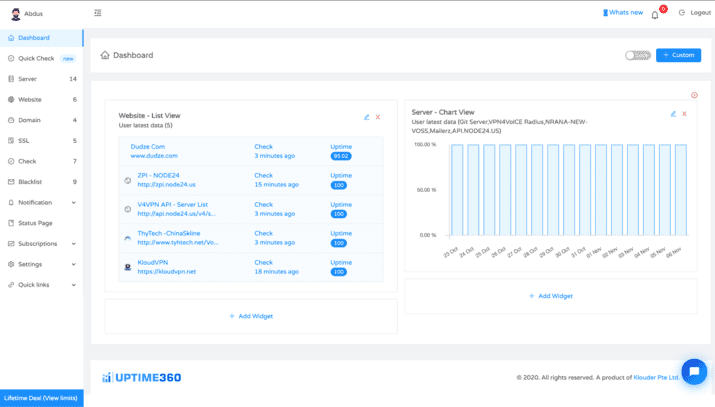
UPTIME360 – A reliable monitoring solution for websites, servers, checks, blacklists, APIs, radius and more with real time notifications through multiple channels including Email, Slack, Twitter, Pushover, SMS and Mobile Application.

TLDR;
  • Server Health & Performance Monitoring
  • Website Up Time & Load Time Monitoring
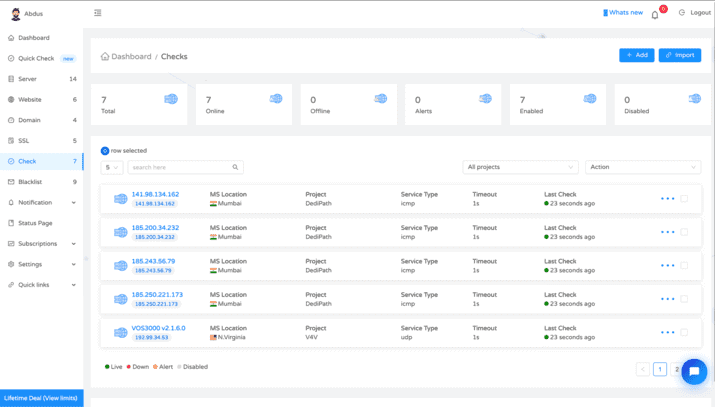
  • Advanced and Specialized Services Monitoring
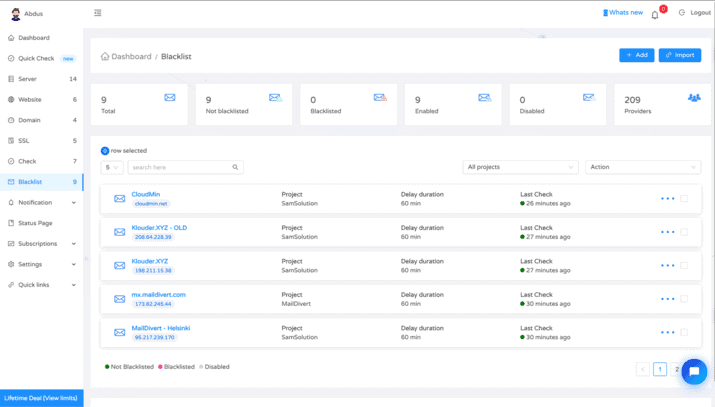
  • Blacklist Monitoring

Do you own or run an Online Business? Monitoring and maintaining your website, web server, API along with keeping a check 24/7 on loading time, performance monitoring, downtime period, server disk usage and all other services would be not only time-consuming but also add more expenses to your business. Needless to say, if you don’t pay attention to these issues, it can jeopardise the reputation of your online business in the real world and hence monitoring your website is the only and best way to prevent these unwanted pitfalls and protect the image of your business.

Uptime360 is a server monitoring and blacklist checking system that lets you monitor all aspects of your website and web server and ensures to alert you with any updates in real-time.

So, what does Uptime360 offer?

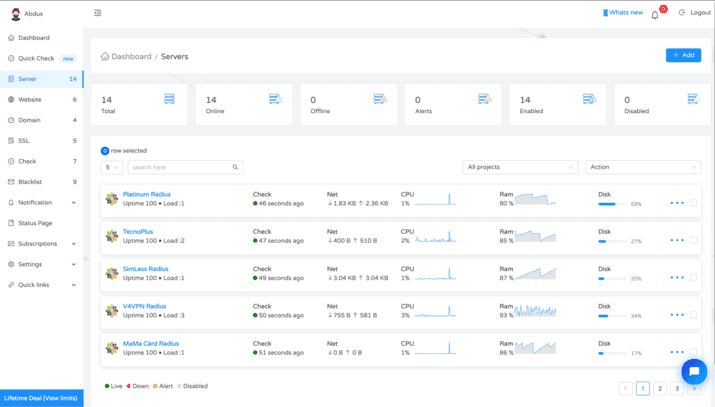
Uptime360 offers the most cost effective server health and performance monitoring system. As well as down time notifications it will provide you with the full system performance and usage details of the server.

UPTIME360 provides you with the most versatile monitoring system covering all your needs.

1. Server Health & Performance Monitoring
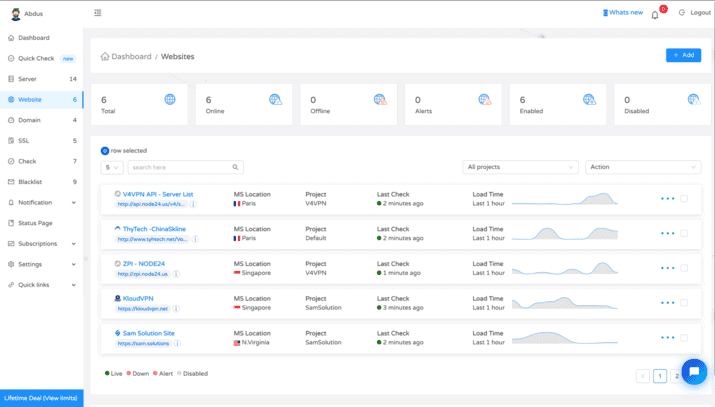
2. Website Up Time & Load Time Monitoring
3. Advanced and Specialized Services Monitoring
4. Blacklist Monitoring
5. Integrations and Notifications

24/7 Monitoring – With Uptime360’s network of 60+ monitoring servers, test that your site is available from all over the world, as often as every minute.

Team Members – Add up to 50 team members per code and share the data with your team.

Blacklist Check – Enhance your mail server’s ability by keeping yourself up to date with 100+ DNS based blacklists and ensure your emails get delivered.

User Defined Alerts – This tool gives you the freedom to define the threshold of your server anomalies so that you only get the alerts that you really want to get.

Free Monitoring Tools – It also provides a few free tools to help anyone who want to do a blacklist check or want to run a quick check on their services.

Get Lifetime access to UPTIME360 now!

Plans & Pricing

$59 Plan
$59
$600
Save $541 (90.2%)
  •  50 Website Monitoring (with check tags)
  •  10 Server Performance Metrics and Health   Check
  •  50 Advance Service Monitoring (FTP, SSH,   RADIUS, SMTP, Custom Port and etc)
  •  10 Blacklist Monitoring (with more than     200+ providers)
  •  1 min interval
  •  Data Retention for 90 days
  •  50 Team Members
  •  Custom Alerts
  •  Unlimited Status Page and Contacts
  •  Android Application
  •  Chrome Extension
  •  Technical Support via Phone, Email, and   Skype
  •  Notification Channels – SMS, Email, Slack, Pushover, Twitter, Android App & Chrome Extension
  •  Developers API
  •  Unlimited Plan Stacking
Deal Expired!

Reviews

0.0
0.0 out of 5 stars (based on 0 reviews)
Excellent0%
Very good0%
Average0%
Poor0%
Terrible0%

There are no reviews yet. Be the first one to write one.

Frequently Asked Questions

Is Uptime360 free plan FREE forever?

Yes! As long as you enjoy Uptime360 monitoring services it will remain free forever with limitations to ONE for all services. Free plan was actually designed to check all the features offered, before migrating to paid plans.

What are the monitoring locations?

The main monitoring locations are based in North Virginia, USA. To verify down statues some other locations like – Singapore, Mumbai, Frankfurt, Milan, Paris and Sao Paulo is used. Monitoring IPs aren’t yet published. We will publish soon.

Does Uptime360 monitoring affects website analytics?

No. Most of the web analytics including Google Analytics uses JavaScript to collect data which Uptime360 doesn’t.

What are checks or Advance checks?

Advance checks or checks is one of the excellent features in Uptime360 that offers you to monitor services more precisely. Like – FTP, SFTP, SMTP, ICPM Ping, SSH, SMTP, HTTP, HTTPS, Custom ports and more!

Is there any limitation for Status page?

No. It is unlimited, until we notice any unusual usage of that feature ;).

Is there any limitation for Team?

No. There’s none for now.

Can I monitor my APIs?

Yes, very soon! We are working on it.

How does Uptime360 determine a service downtime?

There’s plenty of methods on stack. Basically, it does – Ping test, Server test, TCP / UDP / FTP / SMTP / DNS or other default and custom port test, URL accessibility test (for websites) and so on based on the number of occurrences.

Why do I see many short downtimes?

To avoid short downtimes, you can increase the check DELAY time and set it to ‘5 minutes’ or more. 1-minute check interval is considered as very sensitive.

Can I choose specific monitoring locations?

Yes, you can, very soon. A very professional and dedicated team is working on it let you choose the monitoring locations for the services.

Why can’t I login using Google sign in feature?

If you set up custom password in your account then google sign in feature becomes unavailable for now (It is under development to allow both, custom password and Google sign in feature). Of course, you can login using your custom password. Use ‘forgot password’ to recover your password.

Where to download Uptime360 Android App?

Search on PlayStore with ‘Uptime360’ keyword. Install and login to receive service notifications right on your mobile.