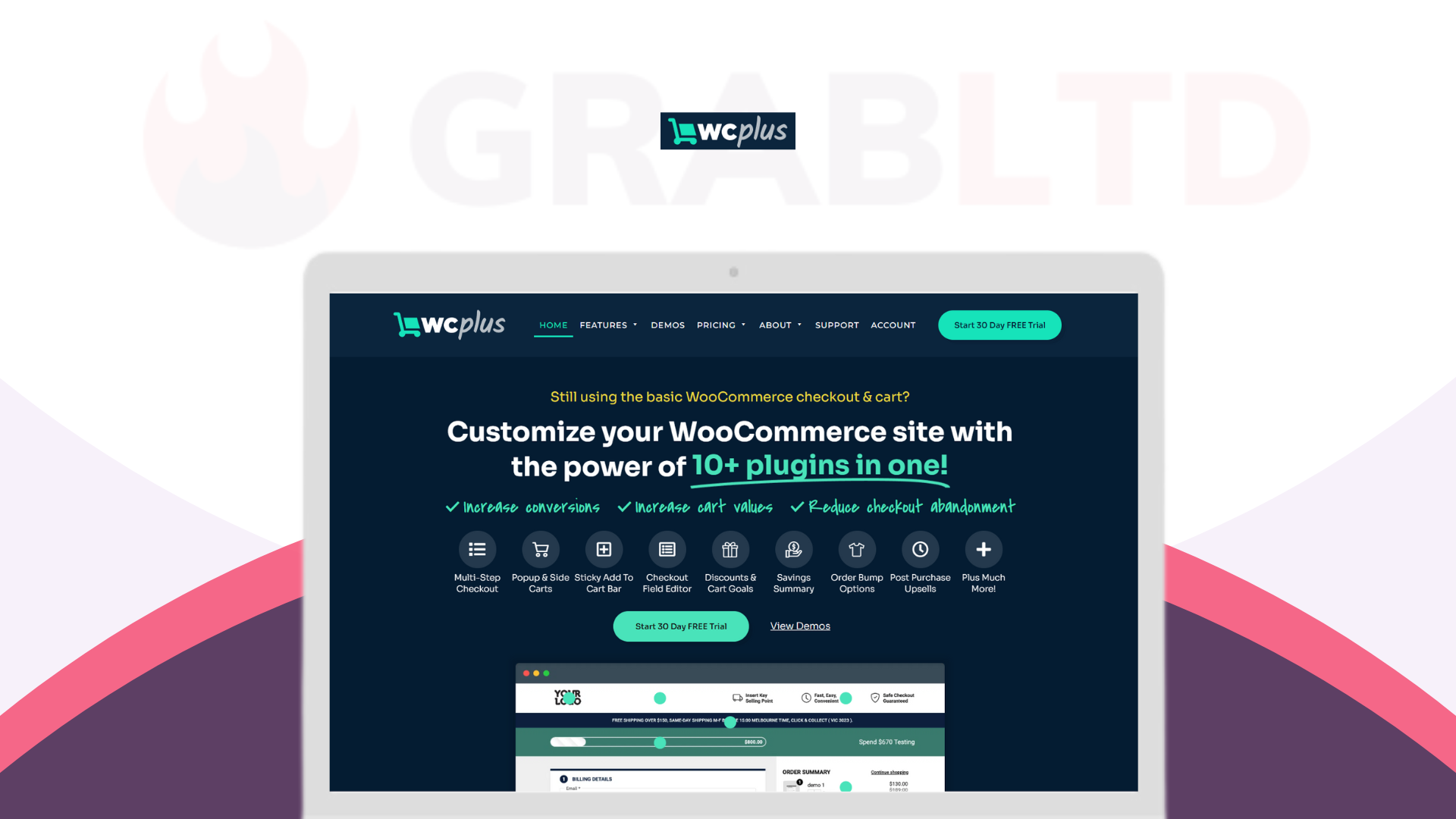
WCPlus gives you the power of 10+ checkout and cart plugins in a single, streamlined toolkit, so you can fully customise your WooCommerce checkout experience and actually move the needle on conversions.
With WCPlus you can:
- Increase conversions with a smoother, guided checkout flow
- Boost average order value with smart order bumps, upsells, and cart goals
- Reduce checkout abandonment by removing friction, clutter, and confusion
- Replace multiple restrictive plugins and cut down on plugin bloat
Install WCPlus today and transform your WooCommerce checkout into a high-converting revenue engine you fully control.
Why should you choose WCPlus?
WCPlus exists because the “default” WooCommerce checkout is barebones, and fixing it usually means either expensive custom development or stacking plugin after plugin until your site feels bloated and fragile. Instead of duct-taping solutions together, WCPlus gives you a single, powerful system built specifically to optimise carts and checkouts.
- Expert-built: Created by a team of seasoned WordPress/WooCommerce specialists who build and manage ecommerce sites every day.
- Proven in real stores: Refined over 12+ months on live client websites, evolving continuously based on real customer behaviour and store owner feedback.
- All-in-one efficiency: WCPlus consolidates the functionality of 10+ cart and checkout plugins into one tool, saving you money, setup time, and compatibility headaches.
- Flexible yet simple: Easy to configure for most WooCommerce stores, while still playing nicely with more complex or heavily customised setups (with developer support recommended for very advanced cases).
In short: WCPlus gives you a high-performing checkout without the development bill or plugin overload.
How It Works
Install & Activate
Add WCPlus to your WooCommerce store like any other plugin. Once activated, you’ll unlock a dedicated settings panel where you control every cart and checkout enhancement.
Configure Your Checkout Experience
Choose your preferred layout and flow: multi-step checkout, popup or side sticky checkout, enhanced cart bar, field edits, order bumps, post-purchase offers, and more. Most options are toggle-based, so you can switch features on, tune them, and see the impact quickly.
Optimise, Test, and Refine
Watch your metrics: conversions, cart values, and abandonment rates. WCPlus is designed to be iterated on — adjust goals, refine upsells, tweak fields, and keep improving the experience based on how your customers actually behave.
Within a short time, you’ll go from a generic WooCommerce checkout to a tailored, conversion-optimised flow that feels built just for your store.
Key Features that That Turn Your Checkout Into a Profit Engine
WCPlus packs in the power of 10+ specialised plugins, all focused on making your cart and checkout work harder for you:
- Multi-Step Checkout Flows
Break the checkout into clean, easy steps so customers never feel overwhelmed, improving completion rates and reducing friction. - Popup & Side Sticky Checkout
Let shoppers jump to checkout from anywhere via sticky side panels or popups — perfect for speeding up the path from “Add to Cart” to “Order Complete”. - Discounts, Savings & Cart Goals
Nudge customers to increase their cart value with progress bars (“Spend $10 more for free shipping”), automatic savings displays, and smart discount logic. - Order Bumps & Post-Purchase Offers
Add highly targeted add-ons at checkout and one-click post-purchase offers to effortlessly grow average order value without hurting the user experience. - Customisable Cart & Checkout Layouts
Fine-tune your cart and checkout design: rearrange sections, simplify the layout, and guide the eye toward what matters most. - Cart Bar & Summary Enhancements
Keep key information (order summary, totals, shipping, savings) visible and clear, reducing second-guessing and last-minute drop-offs. - Field Editor & Checkout Personalisation
Add, remove, or reorder checkout fields so you collect exactly the information you need — nothing more, nothing less. - Upsells & Cross-Sells Built In
Surface relevant upsells and complementary products at the right moment in the journey, rather than relying on generic “related products” blocks.
Check the full list of features here.
All of this is wrapped into one plugin, replacing a pile of disconnected tools with a coherent, conversion-driven checkout system.
Who’s WCPlus Best For?
WCPlus is ideal for:
- WooCommerce store owners who’ve outgrown the default checkout
If your checkout feels basic, clunky, or off-brand, WCPlus gives you the power to redesign it without rebuilding your entire store. - Stores currently using multiple checkout/cart plugins
If you’re juggling 3–10 plugins just to manage cart bars, upsells, discounts, and field edits, WCPlus consolidates that stack into one, more stable solution. - Agencies and developers managing multiple WooCommerce sites
Use WCPlus as your go-to toolkit for delivering high-performing checkouts across client stores, with features proven in real commercial environments. - Scaling brands focused on optimisation and AOV
If you’re serious about increasing conversions, raising cart values, and cutting abandonment — and you want control rather than “one-size-fits-all” — WCPlus is built for you.
If you run a WordPress/WooCommerce store and want a smoother, smarter, more profitable checkout without heavy custom coding, WCPlus is your all-in-one upgrade path.
WCPlus Purchase Terms – What You Need to Know
WCPlus is sold as a DIY plugin with a lifetime license and ongoing feature/bug-fix updates.
Installation and compatibility management stay in your hands (or your developer’s), while we provide the tools and documentation you need to get up and running safely.
- DIY installation: You’re responsible for installing, configuring, and updating the plugin on your own sites.
- Support Centre access: After purchase, you get access to written guides and instructional videos that walk you through setup and usage.
- Compatibility best practices: To minimise issues, we strongly recommend disabling unnecessary third-party plugins, removing conflicting custom code, and testing everything in a staging environment first.
- Handling conflicts: If WCPlus conflicts with your theme, custom code, or other plugins, a qualified web developer must handle resolution (we can recommend one if needed).
- Support scope: Our support covers issues with WCPlus itself. It does not include debugging your theme, server, or other plugins.
- Lifetime deal: Your lifetime license key includes all future WCPlus updates, but not managed installs, updates, or custom development.